Understanding Rapid COVID Test Results Forms (PDF)
Rapid test result forms, often in PDF format, are crucial for documenting and sharing health information quickly. Digital dissemination ensures convenient access and efficient reporting.
What is a Rapid COVID Test?
Rapid COVID tests, also known as antigen tests, are diagnostic tools designed to quickly detect the presence of a specific viral protein, indicating an active infection. Unlike PCR tests requiring laboratory analysis, rapid tests typically deliver results within 15-30 minutes, making them ideal for point-of-care settings. These tests are instrumental in swiftly identifying positive cases, facilitating prompt isolation, and curbing community spread.
The results, frequently documented on a PDF form, are vital for public health tracking and individual medical management. Understanding the test’s limitations – particularly lower sensitivity compared to PCR – is crucial when interpreting the PDF result.
The Role of PDF Forms in Reporting Results
PDF forms standardize the reporting of rapid COVID test results, ensuring consistency and facilitating data collection for public health surveillance. Their universal compatibility allows easy sharing between healthcare providers, laboratories, and individuals. The PDF format preserves formatting, preventing alterations during transmission, crucial for maintaining data integrity.
These forms often include structured fields for patient demographics, test details, and results, streamlining data entry and analysis. Secure PDFs can incorporate digital signatures for authentication and prevent unauthorized modifications. Efficient distribution via online portals or email enhances accessibility and speed of reporting, vital during public health crises.

Components of a Standard Rapid COVID Test Results Form (PDF)
Standard forms include patient details, test specifics (date, time, type), clearly marked result sections (positive, negative, invalid), and quality control data.
Patient Demographics Section
This section meticulously captures essential patient identifiers. Typically, it begins with the patient’s full legal name – last name, first name, and middle initial – ensuring accurate record linkage. Following this, the date of birth is crucial for age verification and distinguishing individuals with similar names.
Further details include gender, contact information such as a current address and phone number, and often, an email address for digital communication of results. Some forms also request the patient’s preferred language and race/ethnicity for public health tracking and analysis purposes. A unique patient identifier, like a medical record number, is frequently included to streamline data management within healthcare systems. Accurate completion of this section is paramount for correct result association and follow-up care.
Test Information Details
This crucial section outlines specifics regarding the COVID-19 test itself. It prominently features the date and time the sample was collected, vital for tracking the progression of potential infections. The type of test administered – antigen or PCR – is clearly stated, as each has different sensitivities and specificities.
Further details include the unique test kit lot number, essential for quality control and potential recall tracing. The healthcare facility or testing center where the test was performed is identified, alongside the name or ID of the personnel who collected the sample. Specimen type (nasal swab, saliva, etc.) is also recorded. This detailed information ensures test traceability and supports accurate interpretation of results within a clinical context.
Test Result Reporting
This core section presents the outcome of the rapid COVID-19 test. The result is clearly stated as either Positive, Negative, or Invalid. A detailed explanation accompanies each outcome, avoiding ambiguity. Positive results are often indicated with bold text or a specific color-coding, alongside recommendations for isolation and further medical evaluation.
Negative results are similarly presented, but emphasize that a negative test doesn’t entirely rule out infection, particularly if symptoms are present. Invalid results require retesting and are accompanied by a reason for the invalidity (e.g., insufficient sample). The reporting section also includes space for a healthcare professional’s signature and date, validating the result’s accuracy.
Positive Result Indicators
Rapid COVID test PDF forms typically employ distinct indicators for positive results. These often include a prominently displayed “Positive” label, frequently in red text or within a colored box. A clear visual representation, such as a plus (+) sign or a specific pattern, may also be used.
Forms detail required actions following a positive result – immediate isolation, contact tracing, and consultation with a healthcare provider. Specific viral load information, if available, might be included. The form will also contain a section for the patient and administering professional to sign, acknowledging the positive finding and understanding of next steps.
Negative Result Indicators
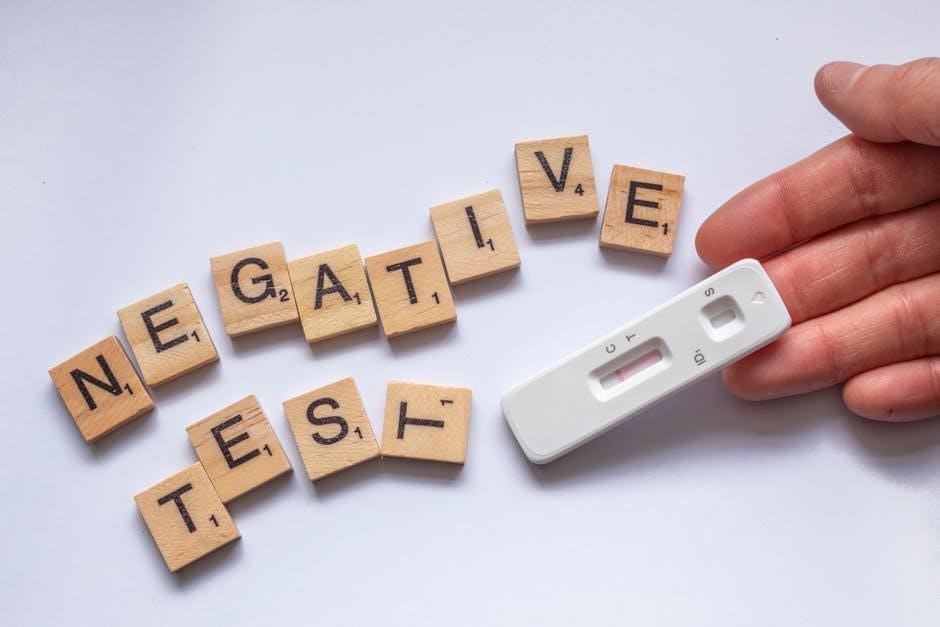
Rapid COVID test PDF forms clearly signal negative results, usually with a “Negative” label, often displayed in green or blue. A minus (-) sign or a specific, easily recognizable pattern may accompany the text. These indicators confirm the absence of detectable viral antigens at the time of testing.
However, forms emphasize that a negative result doesn’t entirely rule out infection, particularly if symptoms are present. Information regarding the test’s limitations and the possibility of false negatives is typically included. Guidance on repeat testing, especially if exposure is suspected, is also common. The form will still require signatures to confirm the result and understanding of its implications.
Invalid Result Explanations
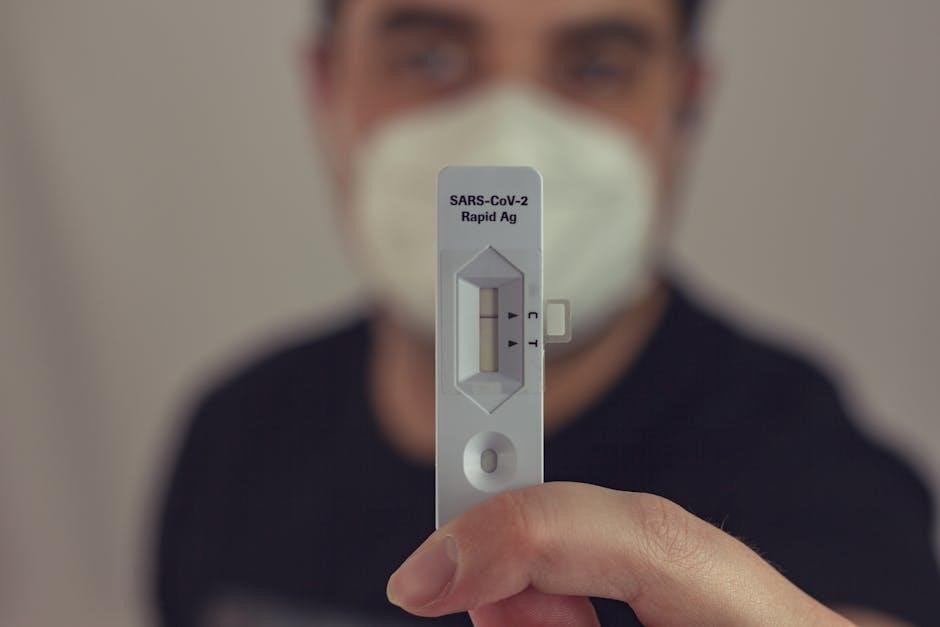
Rapid COVID test PDF forms designate “Invalid” results when proper testing procedures aren’t followed, or the test malfunctions. Common indicators include a missing control line, a faint or indistinct line, or lines appearing outside the designated reading window. These results cannot be interpreted as positive or negative.
Forms explicitly state that an invalid result necessitates repeating the test with a new kit. Explanations detail potential causes, like insufficient sample volume, incorrect procedure, or a defective test strip. Instructions emphasize careful adherence to the manufacturer’s guidelines. A clear statement advises against reporting invalid results and directs users to seek guidance from a healthcare professional.
Quality Control Information
Rapid COVID test result PDFs dedicate a section to quality control, verifying test accuracy. This typically includes internal and external control verification details. Internal controls are built into the test strip, indicated by the appearance of a control line – confirming the test functioned correctly. PDF forms require documentation of control line visibility.
External controls, run periodically, use known positive and negative samples to validate the entire testing process. Forms necessitate recording lot numbers, expiration dates, and control result outcomes. Any deviation from expected control results invalidates the entire test batch, demanding investigation and corrective action. Proper quality control ensures reliable and trustworthy results.

Accessing and Downloading Rapid COVID Test Results Forms (PDF)
PDF forms are readily available through official government health websites, healthcare provider portals, and directly from testing center online platforms for easy download.
Official Government Websites
Government health agencies frequently provide standardized PDF rapid COVID test result forms for public access. These websites serve as a primary, reliable source for the most current versions of the forms, ensuring compliance with national reporting guidelines. Locating these forms typically involves navigating to the health department’s website for your specific state or region.
Often, a dedicated section for COVID-19 resources will house downloadable forms. These official sources prioritize data security and HIPAA compliance, offering a safe method for obtaining and submitting test results. Furthermore, government websites often include detailed instructions on completing the form accurately and securely, minimizing errors and facilitating efficient data processing. Always verify the website’s authenticity to avoid phishing attempts.
Healthcare Provider Portals
Healthcare providers – doctors, clinics, and hospitals – commonly utilize secure patient portals to distribute rapid COVID test result forms in PDF format. Accessing these portals requires patient registration and login credentials, ensuring data privacy and controlled access. These portals often integrate directly with laboratory systems, automatically uploading test results for convenient viewing.
The PDF forms available through these portals are typically pre-populated with patient demographic information, streamlining the process. Patients can download, print, or digitally submit the forms as needed. These portals frequently offer additional resources, such as guidance on interpreting results and scheduling follow-up appointments. Utilizing provider portals ensures secure and personalized access to your health information.
Testing Center Online Platforms
Many COVID-19 testing centers now offer online platforms where individuals can access their rapid test results in PDF format. These platforms often require a unique test ID or personal information for verification, safeguarding patient confidentiality. Upon logging in, users can typically view, download, and print their official test result forms directly from the website.
These platforms frequently provide a user-friendly interface, displaying results clearly and concisely within the PDF document. Some platforms also offer additional features, such as the ability to securely share results with healthcare providers or employers. Utilizing these online platforms provides convenient and timely access to your testing information, eliminating the need for physical copies.
Interpreting the Information on the Form
PDF forms contain vital data: test dates, specificity/sensitivity details, and version numbers. Understanding these elements is key to accurately interpreting your COVID-19 rapid test results.
Understanding the Date and Time of the Test
Precisely noting the date and time of your rapid COVID test is paramount for accurate result interpretation. The timestamp on the PDF form establishes a clear reference point, crucial for contact tracing and understanding the progression of potential infection. This information directly impacts public health reporting and individual medical assessments.
Consider that the window of viral load and detectability changes over time. A test taken too early or too late might yield a false negative. The form’s date/time stamp, alongside symptom onset, helps healthcare professionals determine the reliability of the result. Always verify the timestamp aligns with your recollection of when the test was administered, and report any discrepancies immediately to the testing provider.
Decoding Test Specificity and Sensitivity
Understanding test specificity and sensitivity is vital when interpreting a rapid COVID test PDF result. Specificity refers to the test’s ability to correctly identify those without the virus – a low specificity means more false positives. Sensitivity indicates the test’s ability to correctly identify those with the virus; low sensitivity implies more false negatives.
Rapid antigen tests generally have lower sensitivity than PCR tests, meaning they are more likely to miss early infections. The PDF form may not explicitly state these values, but awareness of these limitations is crucial. A negative result doesn’t guarantee absence of infection, especially if symptoms are present. Consider retesting or pursuing a PCR test for confirmation, particularly if exposure is suspected.
Recognizing Form Version Numbers and Updates
Rapid COVID test result PDF forms are subject to updates as testing protocols and virus variants evolve. Identifying the form version number – typically located in the footer or header – is crucial for ensuring you’re using the most current guidelines. Updates often reflect changes in reporting requirements, testing methodologies, or data privacy regulations.
Healthcare providers and testing centers should utilize the latest versions. Outdated forms may lack essential fields or adhere to superseded standards. Regularly check official government websites or provider portals for the newest PDF template. Discrepancies between the form and current guidelines could lead to inaccurate reporting or processing delays, impacting public health tracking efforts.
Completing and Submitting the Form
PDF forms can be filled digitally or manually; accurate completion is vital. Secure submission, often via portals, requires authorized signatures for valid reporting.
Digital Form Filling vs. Manual Completion
Rapid COVID test result forms (PDF) offer both digital and manual completion options, each with distinct advantages. Digital forms, accessible through healthcare portals or testing center platforms, often include built-in validation to minimize errors and streamline the process. They frequently allow for direct submission, enhancing speed and efficiency.
Manual completion, using a printed PDF, requires careful handwriting and attention to detail. While offering a tangible record, it’s more prone to legibility issues and potential data entry errors. Regardless of the method, ensuring all required fields are accurately filled is paramount for reliable reporting and appropriate public health responses. Consider utilizing assistive technologies if handwriting presents a challenge.
Required Signatures and Authorizations
Rapid COVID test result forms (PDF) typically necessitate signatures and authorizations to validate the test’s legitimacy and ensure compliance with privacy regulations. These signatures confirm the patient’s consent for testing and the healthcare provider’s attestation to the accuracy of the results.
Digital forms may utilize electronic signatures, adhering to legal standards for validity. Manual forms require a handwritten signature, often accompanied by a date. Authorization sections may pertain to the release of information to third parties, like employers or schools. Understanding and completing these sections correctly is vital for legal and ethical data handling, protecting patient rights and maintaining data integrity.
Secure Submission Methods
Rapid COVID test result forms (PDF) require secure submission to protect sensitive patient data. Healthcare portals and dedicated online platforms often employ encryption and access controls, ensuring confidentiality during transmission. Email submission is generally discouraged due to inherent security risks unless the email is encrypted.
Some testing centers utilize secure file transfer protocols (SFTP) or require uploads through HIPAA-compliant systems. Physical submission involves sealed envelopes and designated drop-off locations. Always verify the recipient’s authenticity to avoid phishing scams. Prioritizing secure methods safeguards personal health information and maintains trust in the testing process.
Troubleshooting Common Issues with PDF Forms
PDF form problems—compatibility, field malfunctions, or download difficulties—can arise. Ensure a current PDF reader is installed and verify internet connection stability for smooth access.
PDF Reader Compatibility
Rapid COVID test results in PDF format require a compatible PDF reader for proper viewing and functionality. Older versions of Adobe Acrobat Reader, or alternative PDF viewers, might not fully support the form’s interactive elements or display the document correctly.
Users encountering issues should first update their PDF reader to the latest version. If problems persist, trying a different PDF reader—such as Foxit Reader or Chrome’s built-in PDF viewer—can often resolve compatibility conflicts. Ensure the chosen reader supports PDF forms and JavaScript, as these are frequently used for data entry and validation within the test result documents.
Occasionally, specific security settings within the PDF reader may interfere with form functionality; adjusting these settings (with caution) might be necessary.
Form Fields Not Functioning
If rapid COVID test result PDF form fields aren’t functioning, several factors could be at play. Firstly, ensure the form isn’t protected or read-only, preventing data entry. Check for a padlock icon indicating security restrictions. Secondly, JavaScript might be disabled within your PDF reader; enabling it is often crucial for interactive forms.
Corrupted PDF files can also cause issues; try downloading a fresh copy from the source. Compatibility problems with your PDF reader (see section on PDF Reader Compatibility) may also be the cause.
Finally, some forms require specific software or plugins. If issues persist, contact the testing provider for assistance or consider using a different device and PDF reader.
Difficulty Downloading or Opening the File
Encountering trouble downloading or opening your rapid COVID test result PDF? A slow or unstable internet connection is a common culprit; verify your connectivity. Ensure sufficient storage space is available on your device, as large PDFs require ample room. Browser settings might also interfere – try a different browser or clear your browser’s cache and cookies.
If the file remains inaccessible, the download may be incomplete or corrupted. Attempt re-downloading from the official source. An outdated PDF reader could lack compatibility; update to the latest version.
Finally, security software might be blocking the download; temporarily disable it (with caution) to test if that’s the issue.

Data Privacy and Security Considerations
PDF results contain sensitive health data; HIPAA compliance is vital. Secure storage and vigilance against phishing scams are essential to protect personal information.
HIPAA Compliance and Data Protection
Rapid COVID test results, documented in PDF forms, are considered Protected Health Information (PHI) under the Health Insurance Portability and Accountability Act (HIPAA). Therefore, strict adherence to HIPAA regulations is paramount. This includes ensuring the confidentiality, integrity, and availability of the data.
Healthcare providers and testing centers must implement robust security measures to safeguard these PDF documents. These measures encompass access controls, encryption during transmission and storage, and regular security audits. Proper disposal of PDF files containing PHI is also crucial, utilizing secure methods to prevent unauthorized access.
Individuals receiving these forms should also practice data protection by storing them securely and being cautious about sharing them electronically, avoiding unsecured networks and potential phishing attempts. Maintaining HIPAA compliance protects patient privacy and fosters trust in the healthcare system.
Secure Storage of PDF Results
PDF copies of rapid COVID test results require secure storage to maintain patient confidentiality and comply with data protection regulations. Utilizing encrypted storage solutions, both locally and in the cloud, is essential. Access to these files should be restricted based on a need-to-know basis, employing strong password protection and multi-factor authentication.
Healthcare providers should integrate PDF storage into their Electronic Health Record (EHR) systems, ensuring audit trails and version control. Regular backups are vital to prevent data loss due to system failures or cyberattacks. Individuals receiving PDF results should store them on password-protected devices and avoid storing them on public or unsecured cloud services.
Implementing robust security protocols safeguards sensitive health information and minimizes the risk of unauthorized access or data breaches related to these PDF documents.
Avoiding Phishing Scams Related to Test Results
Be vigilant against phishing scams attempting to exploit concerns surrounding rapid COVID test results. Cybercriminals often send deceptive emails or texts mimicking legitimate healthcare providers or testing centers, requesting personal information or prompting downloads of malicious PDF files.
Never click on links or open attachments from unknown senders. Always verify the sender’s email address and domain name. Legitimate organizations will rarely ask for sensitive data via email. Access your test results directly through official healthcare portals or trusted websites, avoiding third-party links.
Report any suspicious emails or messages to the appropriate authorities. Regularly update your antivirus software and exercise caution when handling PDF documents, especially those received unexpectedly.
Future Trends in Rapid COVID Test Reporting
PDF results may integrate with digital health records via QR codes and potentially utilize blockchain for enhanced security and streamlined verification processes.
Integration with Digital Health Records
Seamlessly integrating rapid COVID test results, currently often distributed as PDF forms, into existing digital health records represents a significant advancement. This integration aims to eliminate data silos and provide a comprehensive patient health overview for healthcare providers. Currently, manual entry or fragmented systems often hinder efficient data access.
Future systems will likely leverage standardized data formats and APIs to automatically upload PDF-derived data directly into Electronic Health Record (EHR) systems. This reduces administrative burden, minimizes errors, and facilitates quicker clinical decision-making. Furthermore, interoperability standards will be crucial to ensure compatibility across different healthcare platforms, fostering a more connected and responsive healthcare ecosystem. Secure data exchange protocols will also be paramount to maintain patient privacy and comply with regulations.
Use of QR Codes for Verification
Integrating Quick Response (QR) codes onto rapid COVID test result PDF forms offers a robust method for verifying authenticity and preventing fraud. These codes can encode a unique identifier linked to the test details stored in a secure database. Scanning the QR code with a smartphone instantly validates the result’s origin and integrity.
This technology bypasses the need for manual verification processes, streamlining access for businesses, schools, and travel providers. QR codes enhance security by making it significantly harder to counterfeit results. Furthermore, dynamic QR codes, which redirect to updated information, can accommodate evolving testing protocols and data security measures. This approach provides a user-friendly and efficient solution for confirming test validity in various settings, improving public health safety.
Blockchain Technology for Secure Data Management
Leveraging blockchain technology presents a revolutionary approach to managing rapid COVID test result PDF data securely and transparently. Each test result, represented as a block, is cryptographically linked to the previous one, creating an immutable record. This decentralized system eliminates single points of failure and reduces the risk of data tampering.
Blockchain ensures data integrity and patient privacy through controlled access permissions. Individuals can grant specific entities, like employers or airlines, access to their verified test results without revealing sensitive personal information. This technology fosters trust and interoperability, enabling seamless data exchange between healthcare providers and authorized parties. Ultimately, blockchain offers a highly secure and auditable solution for managing sensitive health data related to COVID-19 testing.
